
Overview
UCSB Library offers creative technologies to support UCSB students, faculty, and staff in their interdisciplinary explorations.
Makerspace
Required to gain basic access to the Makerspace and resources such as non-powered hand tools, materials, and software: Required to gain access to specific equipment such as 3D printing and sewing machines: Drop in anytime during our operating hours or, for specific equipment, make a reservation via the link at the end of each module. Hours are subject to change. See the Library's Hours for holiday hours and exceptions.About
The Makerspace is a free, creative resource available to all UCSB students, faculty, and staff. Check out our available technology including 3D printing, laser cutting, sewing, electronics prototyping, and more. Our student staff provide peer-mentorship through in-person trainings and project-based workshops to help those of all skill levels utilize our resources. We support all creative endeavors regardless of whether they are academic, research, or personal explorations.Get Started
Hours
Fall, Winter, and Spring Quarters
Breaks and Summer Quarter
Contact Us
Get in touch
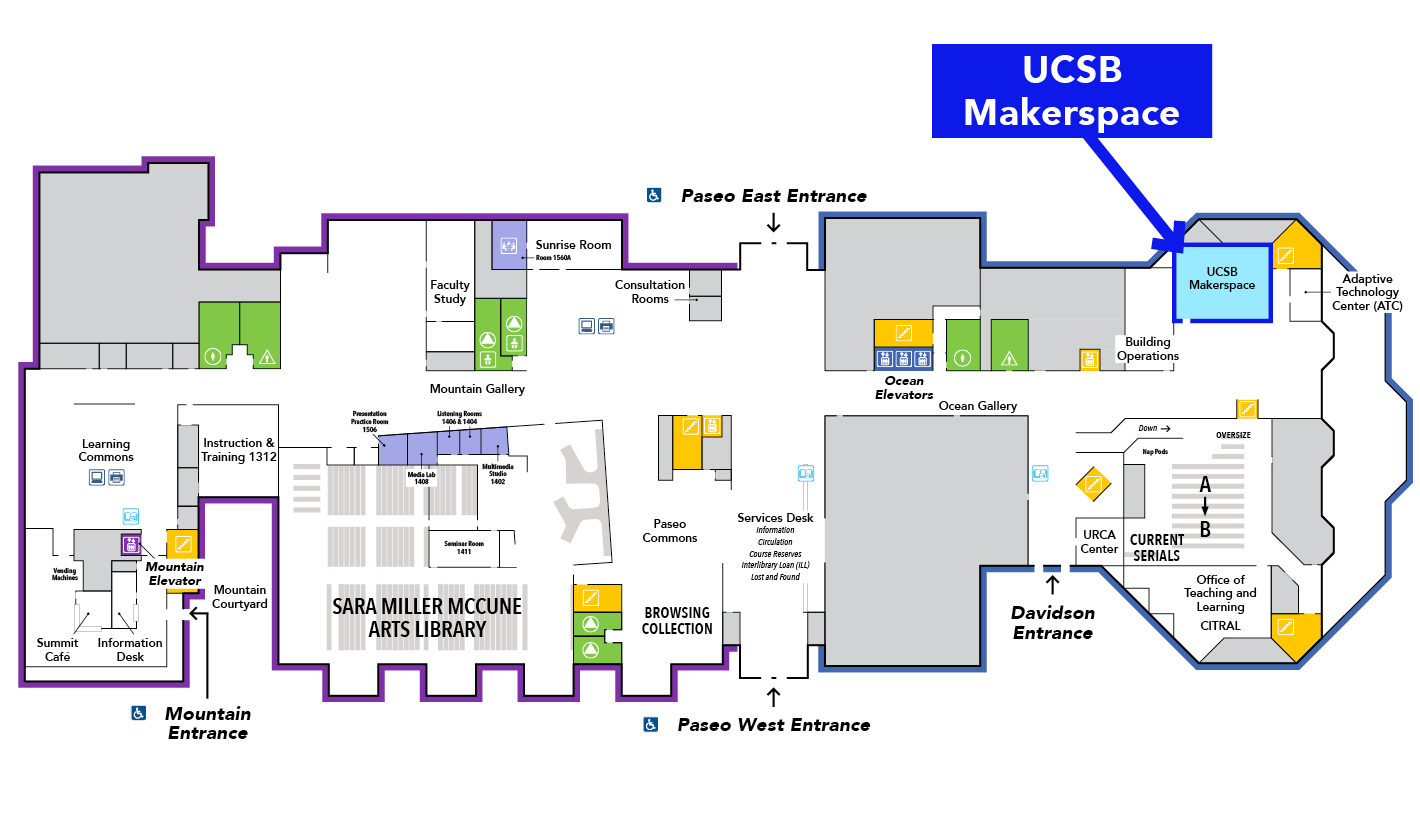
More Information
Find more information about the Makerspace:
Media Rooms
Open during Library building hours (closed during Study Commons hours) Closes 30 minutes before Services DeskAbout
The Media Rooms, located in the Sara Miller McCune Arts Library, are home to high-quality audiovisual equipment accessible to all UCSB students, faculty, and staff. The rooms provide opportunity for students to engage with Library media collections, create, refine, and record multimedia projects such as podcasts, video essays, or other digital design endeavors.Get Started & Reserve
Reserve a Media Room workstation
Hours
Hours are subject to change. For the most up to date hours, please see available times in our online reservation system.
Listening Rooms, Media Lab, and Presentation Practice Room
Multimedia Studio
Contact Us
Get in touch

More Information
Find more information about the Media Rooms: